
Using Chismoso
Notifications
Native desktop notifications for new Frigate alerts and detections, per camera, with a cooldown and a snapshot of the person.
Chismoso can show a native notification whenever Frigate raises a new alert, and optionally a detection, with a snapshot of who was there.
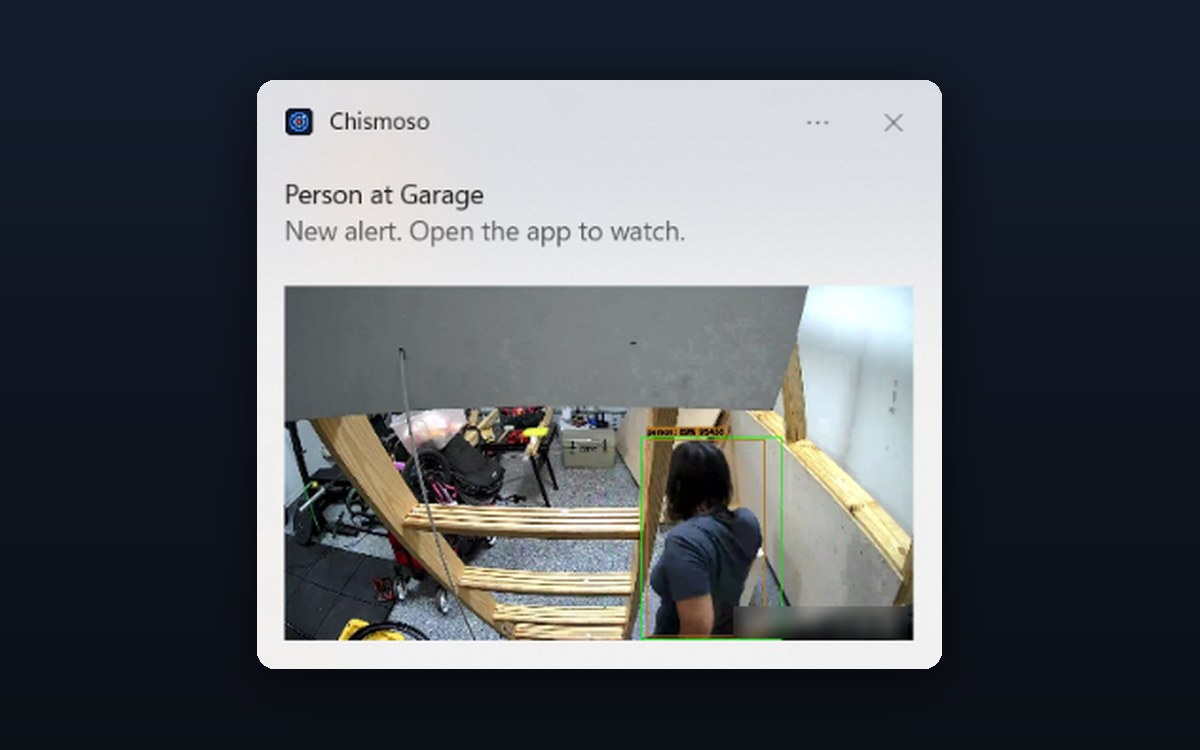
Turning them on
Go to Settings → Notifications and tick Notify me about new alerts. Then choose:
| Setting | Options |
|---|---|
| Also detections | Off by default. Detections are far more frequent than alerts, so this can be a lot |
| Snapshot in the notification | When a person is detected (default), For every notification, or Never |
| At most one per camera every | 10 s, 30 s, 1 min (default), 5 min or 15 min |
| Cameras | Pick the cameras to hear about. None picked means all of them |
Press Send a test notification to check that your system lets Chismoso show them.
Tip
If the test doesn't appear: on macOS, allow Chismoso in System Settings → Notifications. On Windows, check Settings → System → Notifications and Focus. On Linux, check your desktop's notification settings and Do Not Disturb.
The cooldown
A busy camera can raise several alerts a minute. The cooldown makes sure you get at most one notification per camera in that time. An event that's upgraded from a detection to an alert still gets through.
How it works
While the app is running, Chismoso keeps one WebSocket connection open to Frigate's /ws endpoint and listens for new review items. That's all it needs:
- No MQTT broker, no cloud service, no push relay.
- The same connection keeps open timelines up to date, so new alerts appear on the bar within a couple of seconds.
On desktop the app keeps running in the background, so notifications arrive even when the window is minimized. Close the app and they stop.
On Windows, Chismoso registers its own name and icon for notifications when it starts (per user, under HKCU\Software\Classes\AppUserModelId\org.caprichosos.chismoso), so notifications say Chismoso rather than Windows PowerShell, even if you run the .exe without installing it.
Note
On phones (coming soon), notifications will only arrive while the app is open. Background alerts on a phone need push notifications, which aren't set up yet. See Phone apps.