
Using Chismoso
Load screen
See what Chismoso asks of your Frigate server right now, 24-hour trends kept on your computer, and whether video is decoded in hardware.
The Load tab answers a simple question: how hard is this app making my Frigate server work? It also checks how well this computer is set up to decode video.
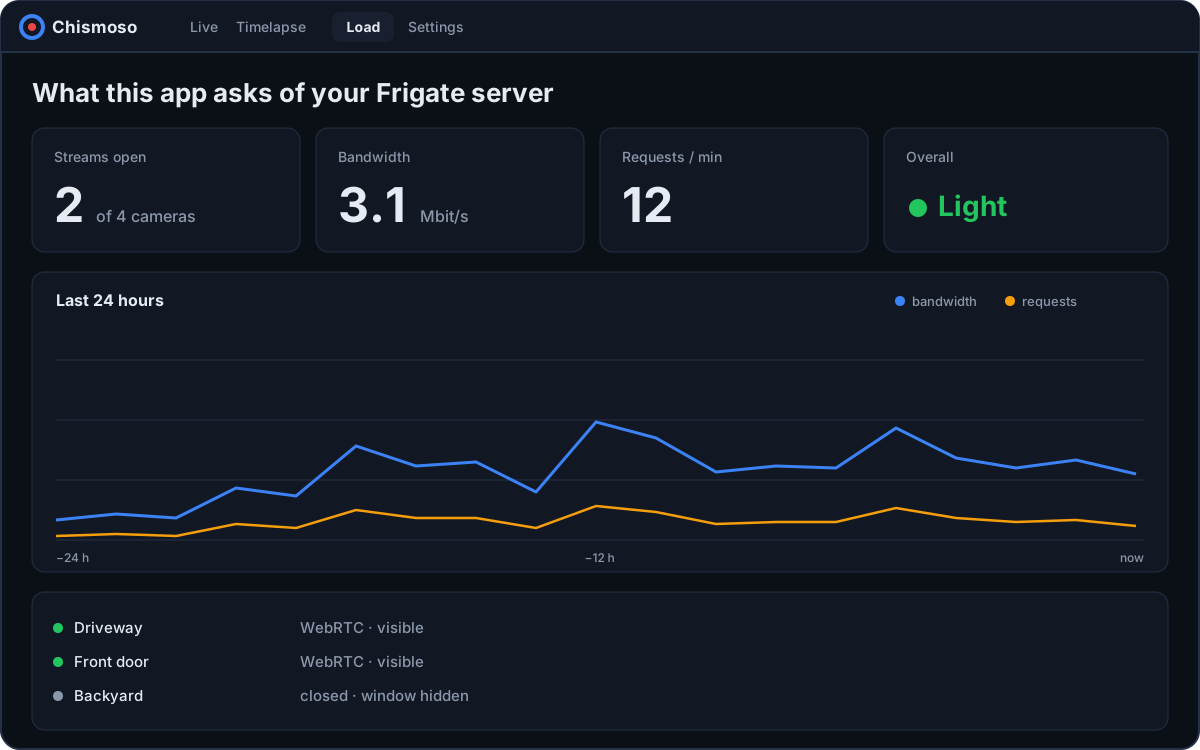
Right now
Updated every five seconds, for the last minute:
- Requests and data this app pulls from Frigate.
- Live streams this app has open.
- Frigate's server CPU.
- go2rtc viewers from every client, not just this one, so you can see if a browser tab somewhere is still streaming.
Trend
Below, the same numbers over the last 1 h, 6 h or 24 h. They're recorded once a minute while the app is open and kept on this computer (in the app's local storage, separately for each server). Gaps are times the app was closed. Nothing is sent anywhere.
This computer
Whether this computer decodes video in hardware (graphics card) or software (processor), and how:
| System | What the web view uses |
|---|---|
| Windows | WebView2 (Edge), which uses the graphics card when it can |
| macOS | WebKit with VideoToolbox, in hardware |
| Linux | GStreamer, in software unless a hardware plugin is installed |
On Linux, if no hardware plugin is found, the Load screen says what to install. See Hardware video decoding.
What the app does to stay light
- Live streams close after the window has been minimized or hidden for 30 seconds, and reopen when it's back.
- Tiles scrolled out of view don't stream or fetch snapshots.
- Snapshot tiles ask Frigate for the size they're shown at, not a fixed size.
- Grid playback plays at most four cameras at once; the rest show occasional stills.
- Opening a camera from a live tile reuses the tile's connection.
- The timeline only repaints when something on it moved, and nothing polls while the window is hidden.